

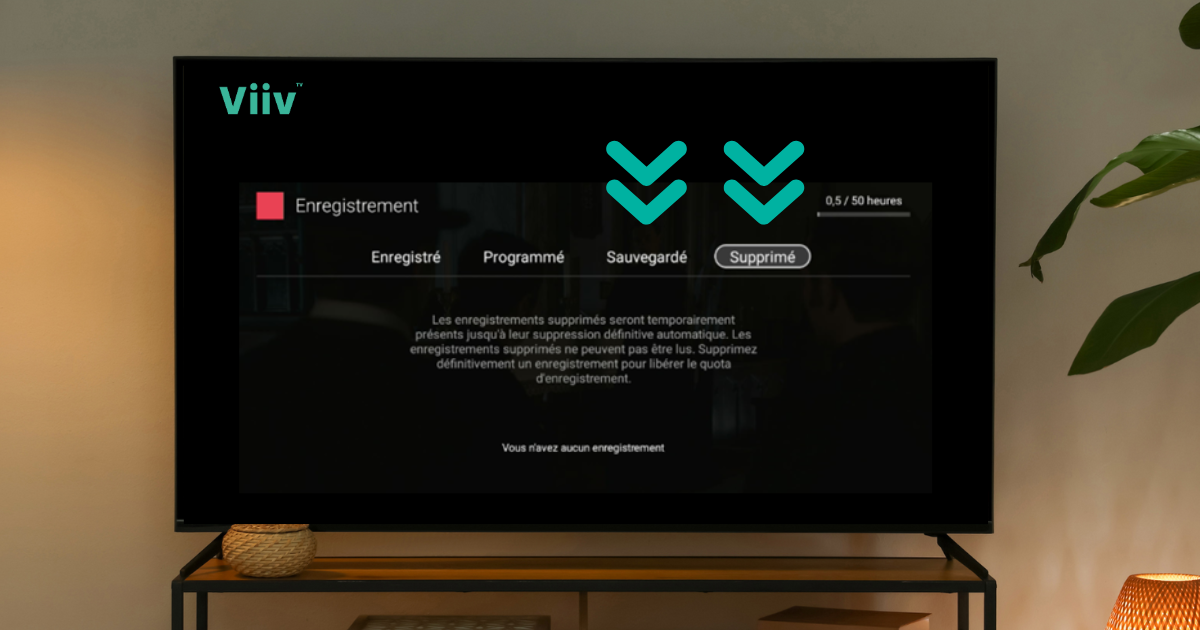
Whether you are passionate about series, sports or movies, these new releases allow you to keep what is important to you.
Free up space, save indefinitely your favorite content and optimize your storage in just a few clicks.
Here are two handy Viiv TV features you’ll love 👇
✨ Free up storage space in seconds
Is your storage space almost full? Don’t panic! You can quickly free up space by deleting the records you no longer need:
- Press the DVR button on your Viiv TV remote OR press the TiVo button on the remote and select the Screen Recording section.
- Go to the Deleted tab.
- Select the show you want to permanently delete, then click Delete permanently.
- Confirm, and there you go!

💡 Tip: Monitor the available space in the upper right corner of the recording screen or increase the number of recording hours by adding a block of 50 or 150 additional hours to your package.
🔐 Save your important recordings indefinitely
Want to prevent a recording from being automatically deleted after 365 days? It’s possible! Use the Saved feature to protect a recording.
- Press the DVR button on your Viiv TV remote OR Press the TiVo button on the remote and select the Screen Recording section.
- Go to the Saved tab.
- Select the show you wish to keep long-term.
- Choose the Save option to protect the recording.

💡 Tip: This prevents automatic deletion after one year. Perfect for keeping your favorite series, a memorable match, or your favorite movies close at hand!
🗓️ Launch period: between January 26 and February 5, 2026
If your service has not yet been updated, rest assured: it will be updated automatically by the end of this period.